Jellyfin Plugins
Plugin Installation Guide
📦 Installing from Repository (Recommended)
The easiest way to install Jellyfin plugins is through the plugin repository system:
- Navigate to Admin Dashboard
- Select Plugins from the left navigation menu
- Click Repositories in the top menu
- Click the + icon to add a new repository
- Enter a Repository Name (can be any descriptive name)
- Paste the Repository URL from the plugin maintainer
- Click Save - you should see the new repository listed
- Navigate to the Catalog tab in the top menu
- Find and select your desired plugin
- Click Install
- Restart Jellyfin to activate the plugin
- Verify installation by checking Plugins - status should show as Active
🔧 Manual Installation (Advanced)
For plugins not available in repositories or for development versions:
- Navigate to the plugin's GitHub releases page
- Download the latest .zip file
- Extract contents to:
{jellyfin-data-directory}/plugins/{PluginName} - Restart Jellyfin
- Navigate to Admin Dashboard → Plugins
- Verify the plugin appears with Active status
The Jellyfin data directory location varies by platform:
- Windows:
%APPDATA%\Jellyfin\Server\plugins - Linux:
/var/lib/jellyfin/plugins - Docker:
/config/plugins
Media Enhancement Plugins
⏭️ Intro Skipper
Description: Automatically detect and skip intro sequences using audio fingerprinting technology. Enhances binge-watching experience with seamless episode transitions.
| Type | Details |
|---|---|
| Repository URL | https://manifest.intro-skipper.org/manifest.json |
| Type | Media Enhancement |
📝 Subtitles Extract
Description: Automatically extract embedded subtitles from video files and make them available as separate subtitle tracks in Jellyfin.
| Type | Details |
|---|---|
| Installation | Manual Only |
| Downloads | GitHub Releases |
| Source Code | GitHub Repository |
| Type | Subtitle Management |
This plugin is only available for manual installation. Follow the manual installation guide above by going to the source code.
📺 M3U-Editor
Description: Edit M3U playlists and Live TV channels directly within Jellyfin's interface. Streamlines IPTV management without external tools.
| Type | Details |
|---|---|
| Repository URL | https://simoni.dev/jellyfin/repo.json |
| Type | Live TV / IPTV |
🎬 Intros
Description: Download flashy movie intros from prerolls.video to play before your films. Add a cinema-quality experience to your home theater.
| Type | Details |
|---|---|
| Repository URL | https://raw.githubusercontent.com/dkanada/jellyfin-plugin-intros/master/manifest.json |
| Source Code | GitHub Repository |
| Type | Media Enhancement |
🔞 PhoenixAdult
Description: Comprehensive metadata provider for adult content. Automatically fetches information from original source sites to organize your adult video library.
| Type | Details |
|---|---|
| Repository URL | https://raw.githubusercontent.com/DirtyRacer1337/Jellyfin.Plugin.PhoenixAdult/master/manifest.json |
| Source Code | GitHub Repository |
| Compatibility | Jellyfin only |
| Type | Metadata Provider |
🎭 Stash Integration
Description: Integrates with Stash server to pull metadata using filename queries. Perfect for users already maintaining a Stash database.
| Type | Details |
|---|---|
| Installation | Manual Only |
| Source Code | GitHub Repository |
| Documentation | Installation Guide |
| Type | Metadata Provider |
This plugin is only available for manual installation. Follow the manual installation guide above by going to the source code.
📀 Jellyfin Merge Versions
Description: Automatically groups duplicate movies (different versions, qualities, or cuts) into a single library entry. Keeps your library clean and organized.
| Type | Details |
|---|---|
| Repository URL | https://raw.githubusercontent.com/danieladov/JellyfinPluginManifest/master/manifest.json |
| Source Code | GitHub Repository |
| Type | Library Organization |
Music & Tracking Plugins
🎵 LastFM
Description: Scrobble your music listening to Last.FM and fetch music metadata. Track your listening habits and discover new music based on your taste.
| Type | Details |
|---|---|
| Repository URL | https://jellyfin-repo.jesseward.com/manifest.json |
| Source Code | GitHub Repository |
| Type | Music Scrobbling / Metadata |
Anime & Specialty Content
🎌 Shokofin
Description: Integrate Jellyfin with Shoko Server for advanced anime library management. Provides comprehensive anime metadata and organization.
| Type | Details |
|---|---|
| Repository URL | https://raw.githubusercontent.com/ShokoAnime/Shokofin/master/manifest.json |
| Source Code | GitHub Repository |
| Type | Anime Library Management |
🔄 Ani-Sync
Description: Synchronize anime watch status between Jellyfin and popular anime tracking sites (MyAnimeList, AniList, Kitsu). Never lose track of your progress.
| Type | Details |
|---|---|
| Repository URL | https://raw.githubusercontent.com/vosmiic/jellyfin-ani-sync/master/manifest.json |
| Source Code | GitHub Repository |
| Type | Anime Tracking Integration |
Theme & Customization Plugins
🎨 Skin Manager
Description: Manage and switch between custom skins/themes for Jellyfin. Personalize your interface with community-created designs.
| Type | Details |
|---|---|
| Repository URL | https://raw.githubusercontent.com/danieladov/JellyfinPluginManifest/master/manifest.json |
| Source Code | GitHub Repository |
| Type | Interface Customization |
🎼 Themerr
Description: Automatically add theme songs to movies using ThemerrDB. Enhance your browsing experience with iconic movie themes.
| Type | Details |
|---|---|
| Repository URL | https://app.lizardbyte.dev/jellyfin-plugin-repo/manifest.json |
| Documentation | Official Docs |
| Type | Media Enhancement |
Video Platform Integration
📹 Tube Archivist
Description: Metadata provider for TubeArchivist. Seamlessly integrate your archived YouTube content with Jellyfin.
| Type | Details |
|---|---|
| Repository URL | https://github.com/DarkFighterLuke/TubeArchivistMetadata/raw/master/manifest.json |
| Source Code | GitHub Repository |
| Type | Metadata Provider |
▶️ YouTube Metadata
Description: Retrieve comprehensive metadata for YouTube content. Perfect for managing YouTube video libraries in Jellyfin.
| Type | Details |
|---|---|
| Repository URL | https://raw.githubusercontent.com/ankenyr/jellyfin-plugin-repo/master/manifest.json |
| Source Code | GitHub Repository |
| Type | Metadata Provider |
Specialized Metadata Providers
🔞 The Porn DB
Description: Comprehensive metadata provider for adult content using ThePornDB. Automatically organize and enrich your adult video library.
| Type | Details |
|---|---|
| Repository URL | https://raw.githubusercontent.com/ThePornDatabase/Jellyfin.Plugin.ThePornDB/main/manifest.json |
| Source Code | GitHub Repository |
| Website | ThePornDB.net |
| Type | Metadata Provider |
🎮 VGMDB
Description: Add VGMdb support to music libraries. Provides images and metadata for video game music artists and albums.
| Type | Details |
|---|---|
| Repository URL | https://repo.jellyfin.org/releases/plugin/manifest-stable.json |
| Source Code | GitHub Repository |
| Type | Metadata Provider |
Notifications & Communication
📱 SMS Notifications
Description: Send SMS notifications for Jellyfin events. Stay informed about server activity, new content, and user actions.
| Type | Details |
|---|---|
| Repository URL | https://raw.githubusercontent.com/k-matti/jellyfin-plugin-repository/master/manifest.json |
| Source Code | GitHub Repository |
| Type | Notifications |
Player Enhancements
🎞️ Jellyscrub
Description: Advanced trickplay support with smooth video scrubbing. Create BIF files for media to enable smooth mouse-over preview during video seeking.
| Type | Details |
|---|---|
| Repository URL | https://raw.githubusercontent.com/nicknsy/jellyscrub/main/manifest.json |
| Source Code | GitHub Repository |
| Type | Player Enhancement |
🎬 Jellyfin Media Bar
Description: Featured content bar to showcase your media collection. Add an eye-catching display of your best content on the home screen.
| Type | Details |
|---|---|
| Repository URL | https://www.iamparadox.dev/jellyfin/plugins/manifest.json |
| Source Code | GitHub Repository |
| Type | Visual Enhancement |
- Install "File Transformation" plugin (minimum version 2.2.1.0)
- Install latest "Media Bar" plugin
- Restart Jellyfin server
📺 In Player Episode Preview
Description: View episode lists directly in the video player. Navigate through TV show episodes without leaving the player.
Supported Clients:
- Jellyfin Web Client
- Jellyfin Media Player (JMP) Desktop Client
Features:
- List all episodes of a season
- Switch between seasons seamlessly
- Display episode title, description, thumbnail and playback progress
- Show episode details like community ranking
- Mark episodes as played or favourite
- Start new episodes instantly
- Compatible with custom themes
| Type | Details |
|---|---|
| Repository URL | https://raw.githubusercontent.com/Namo2/InPlayerEpisodePreview/master/manifest.json |
| Source Code | GitHub Repository |
| Type | Player Enhancement |
Advanced Library Management
📚 Auto Collections
Description: Automatically create and manage collections with simple or advanced filtering. Build dynamic collections using boolean logic and complex criteria.
Collection Modes:
- Simple Collections: Quick setup with single-criterion filtering
- Advanced Collections: Complex filtering with boolean logic expressions
Key Features:
- Multiple Matching Methods: Filter by Title, Studio, Genre, Actor, Director, Tags, and more
- Media Type Filtering: Movies only, TV shows only, or both
- Advanced Expressions: Boolean logic with AND, OR, NOT operators
- Enhanced Filtering: Filter by metadata, ratings, production locations, audio/subtitle languages
- Import/Export: Backup and restore configurations as JSON
- Case Sensitivity Control: Choose case-sensitive or case-insensitive matching
- Scheduled Synchronization: Collections update automatically on schedule
| Type | Details |
|---|---|
| Repository URL | https://raw.githubusercontent.com/KeksBombe/jellyfin-plugin-auto-collections/refs/heads/main/manifest.json |
| Source Code | GitHub Repository |
| Type | Library Management |
- Navigate to Dashboard → Plugins → Catalog → Gear Icon (upper left)
- Add a new repository named
@KeksBombe (Auto Collections) - Set Repository URL to the URL above
- Click Save and restart Jellyfin
- Install from Catalog
Power User Enhancements
⚡ Jellyfin Enhanced
Description: The ultimate enhancement suite for Jellyfin. Combines powerful features with an easy-to-install package, including comprehensive keyboard shortcuts, subtitle customization, smart auto-pause, random selection, and streaming provider information.
⌨️ Keyboard Shortcuts:
| Key | Action | Context |
|---|---|---|
? | Show/hide settings & hotkey panel | Global |
/ | Focus search bar | Global |
Shift + H | Go to Jellyfin Home Page | Global |
D | Go to Dashboard | Global |
Q | Go to Quick Connect | Global |
R | Play random item from library | Global |
Hold Shift + B | Clear all bookmarks (3-second hold) | Global |
A | Cycle aspect ratios (Auto → Cover → Fill) | Player |
I | Show playback info (stats overlay) | Player |
S | Show subtitle selection menu | Player |
C | Cycle subtitle tracks | Player |
V | Cycle audio tracks | Player |
B | Bookmark current playback time | Player |
Shift + B | Go to saved bookmark | Player |
0-9 | Jump to 0%-90% of video duration | Player |
+ / = | Increase playback speed | Player |
- / _ | Decrease playback speed | Player |
R | Reset playback speed (1.0x) | Player |
📝 Subtitle Settings:
- 6 style presets (Clean White, Classic Black Box, Netflix Style, Cinema Yellow, Soft Gray, High Contrast)
- 5 font sizes (Tiny to Extra Large)
- 5 font families (Default, Noto Sans, Sans Serif, Typewriter, Roboto)
- Persistent settings automatically saved
⏯️ Smart Features:
- Configurable auto-pause when switching tabs
- Optional auto-resume on tab return
- Auto skip intro/outro (requires Skip Intro Plugin)
- Remove items from continue watching row
🎲 Random Selection:
- Random button in header for instant access
- Configurable item types (Movies, Shows, or both)
- Hotkey support (press
Routside player) - Option to show only unwatched items
🔍 Additional Features:
- Streaming provider information with multi-region search
- Display file sizes for movies and episodes
- Configure preferred default region and services
| Type | Details |
|---|---|
| Repository URL | https://raw.githubusercontent.com/n00bcodr/jellyfin-enhanced/main/manifest.json |
| Source Code | GitHub Repository |
| Installation Guide | README Instructions |
| Type | Enhancement Suite |
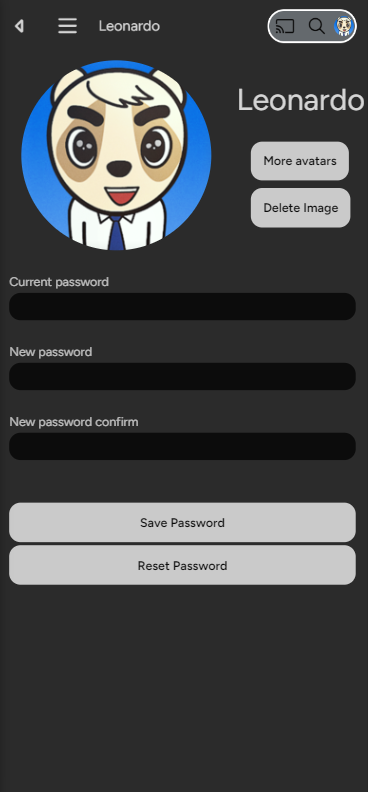
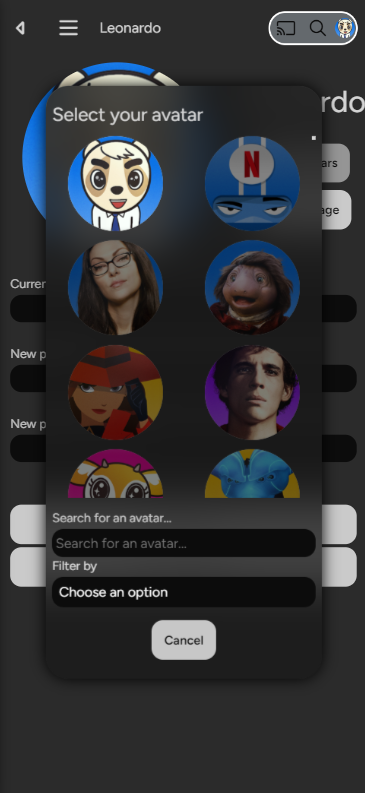
👤 JF-Avatars
Description: JavaScript library for selecting avatars from an image gallery. Provides a user-friendly modal interface for choosing profile images from an organized collection.
Features:
- Custom modal interface for avatar selection
- Organized image gallery
- Responsive design for desktop and mobile
- Seamless profile integration
| Type | Details |
|---|---|
| Source Code | GitHub Repository |
| Installation Guide | README Instructions |
| Type | User Interface Enhancement |
Desktop View:
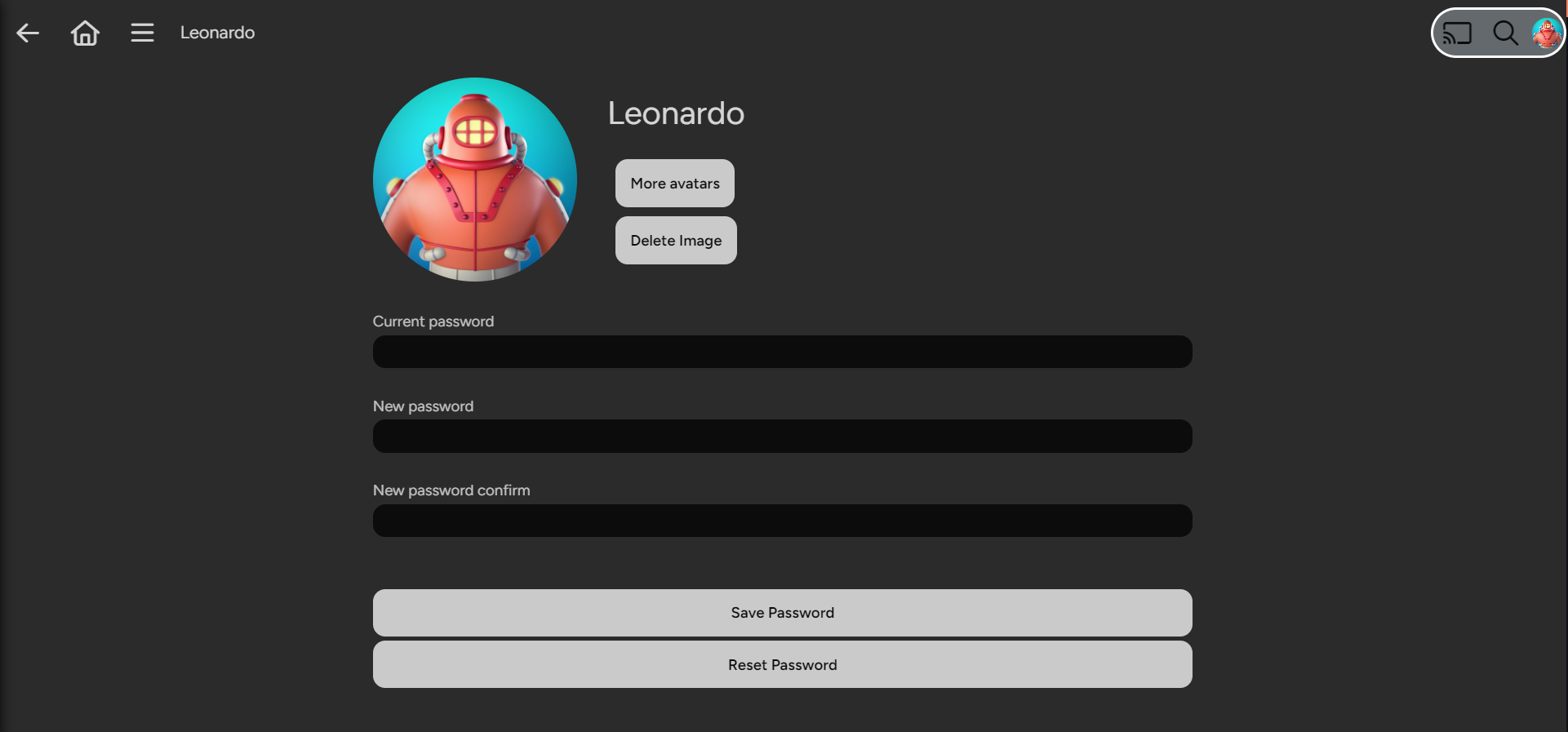
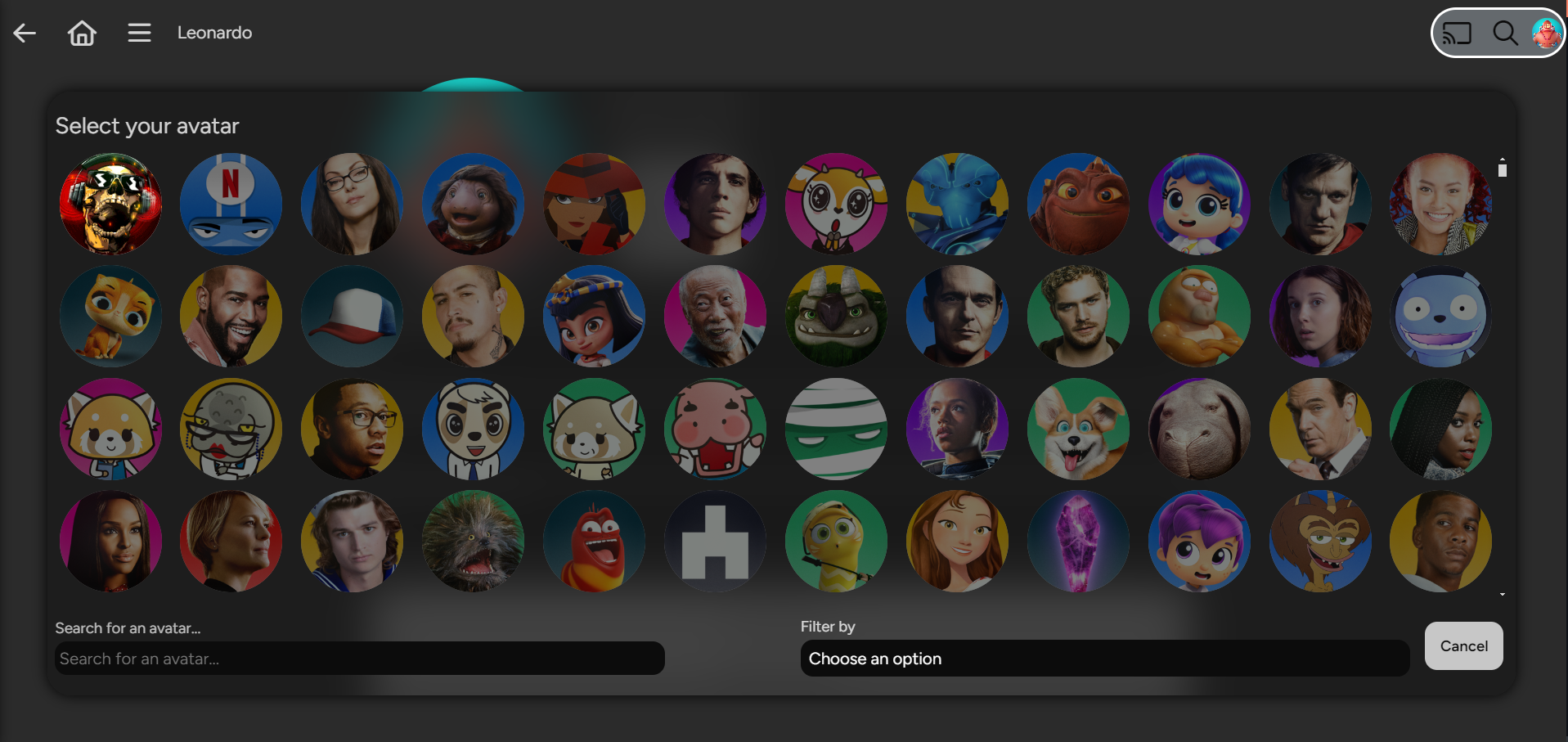
Mobile View:
🎥 Jellyfin Script Spotlight
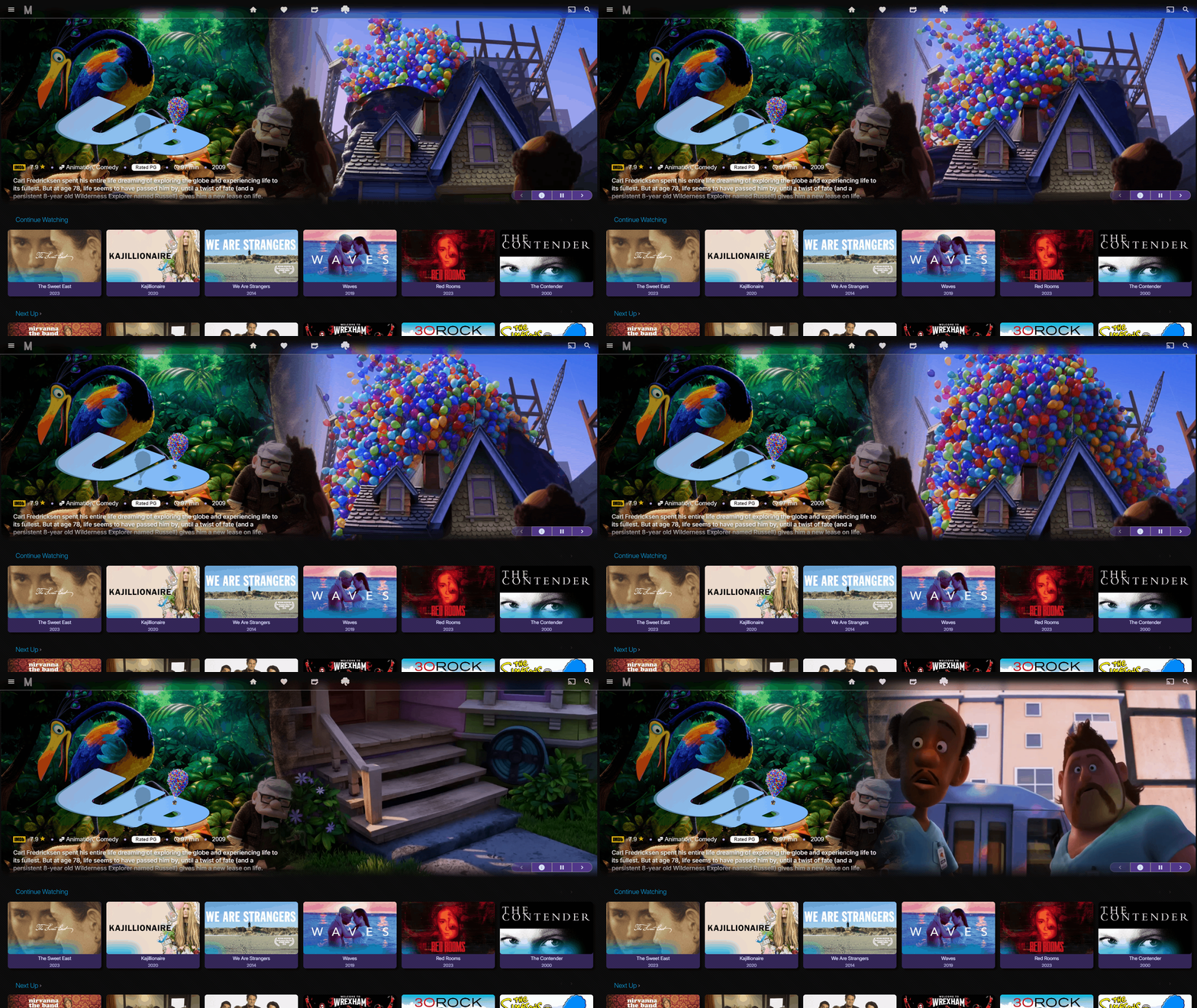
Description: Dynamic homepage slideshow featuring trailers from your library. Rediscover your media collection with automatically fetched trailers creating a living, evolving spotlight presentation.
Features:
- Local and remote trailer playback
- Metadata-driven content selection
- Living homepage slideshow
- Automatic library highlighting
| Type | Details |
|---|---|
| Source Code | GitHub Repository |
| Installation Guide | Windows Installation |
| Type | Visual Enhancement |
🔧 KefinTweaks
Description: Comprehensive enhancement collection focused on filling functionality gaps based on community feature requests. Customizable tweaks designed to address the most desired improvements.
Key Highlights:
- Addresses community-requested features
- No configuration required (optional customization available)
- Continuous improvements and bug fixes
- Complements MediaBar plugin for enhanced home screen experience
| Type | Details |
|---|---|
| Source Code | GitHub Repository |
| Installation Guide | Installation Instructions |
| Type | Enhancement Suite |
Before the 1.0 release, you may encounter some issues or bugs. The developer actively addresses these as quickly as possible.
💻️Buy me a PC Part